

Empower Their Independence From Anywhere with GPS Monitoring
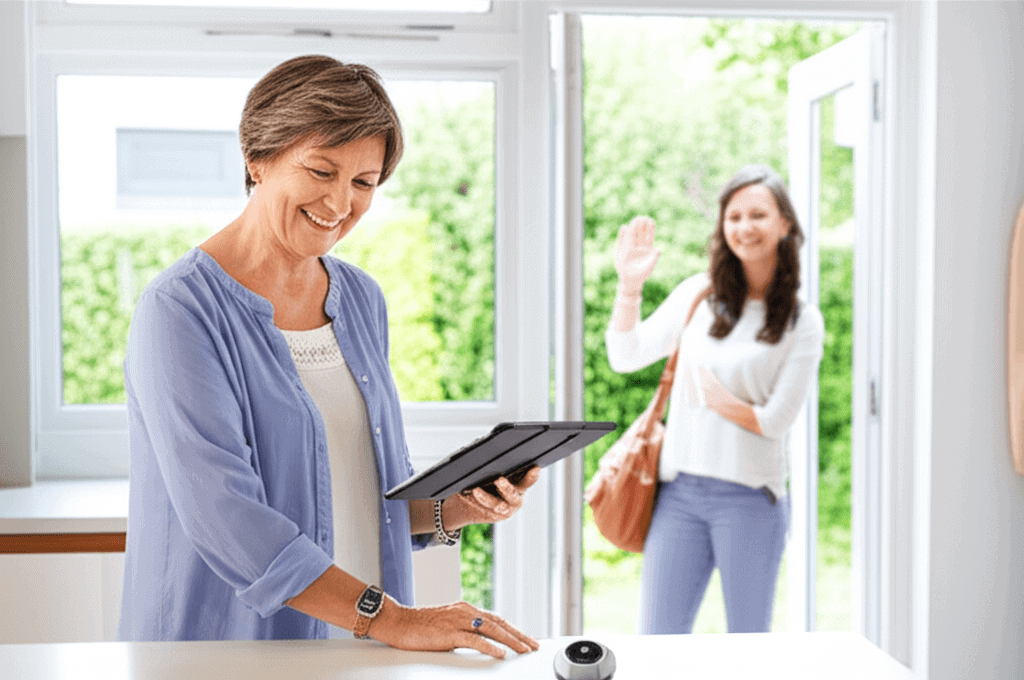
Watching a loved one move through their day with confidence feels great when caring from a distance. Modern GPS trackers send exact location updates, instant alerts, and simple check-ins, so older adults can keep their usual routines. The key is to pick tech that guards privacy, matches daily habits, and gives useful info without getting in the way. This balance lets independence thrive while making everyone feel safe and connected. The next few lines will show how to find the right device that makes caregiving easy and worry-free, so dig in to make life smoother for everyone involved.
This article explains practical ways to support an older relative from anywhere using GPS monitoring. You will find device comparisons, setup suggestions, privacy pointers, and real world examples that show how location tools can fit into a respectful, person centered plan for maintaining independence.
How GPS monitoring helps maintain independence for older adults
GPS tracking is most useful when it supports choices an older adult already values. Common benefits include:
- Location awareness for family members so they can offer help quickly when a route changes or a destination is missed.
- Custom alerts that trigger when someone leaves a designated area or when a device’s battery is low.
- Less frequent phone calls to check on whereabouts, replaced by event driven updates that reduce worry for both parties.
- Historical location logs that reveal patterns such as frequent trips to the same park or an unexpected detour that could signal confusion.
Used thoughtfully, these features let older adults continue activities like walking to a community center while loved ones monitor for unusual behavior that may require a conversation or a visit.
Key GPS features to evaluate before buying
Not all GPS products are equal. When assessing options, weigh these features against the person’s lifestyle and health needs.
- Accuracy Check reported GPS accuracy in real conditions for urban, suburban, and rural routes.
- Battery life Devices that last several days between charges reduce daily chores for the wearer.
- Alert options Look for geofence alerts, low battery warnings, and location check requests.
- Two way communication An integrated speaker or SOS button can turn a location device into a simple safety phone.
- Wearability Clip on, wristband, or pendant styles matter. Comfort influences consistent use.
- Plan costs Monthly data fees vary. Compare basic plans to premium services with fall detection or concierge support.
Tip: test one device for a month before committing to multiple units. Real life usage quickly reveals what works and what adds friction.
Balancing location tracking with privacy and dignity
Respect is central to sustained adoption. Discussing monitoring openly reduces resistance and builds trust. Effective conversations cover these points:
- Why the device is being considered and which family members will have access to updates.
- What alerts will trigger sharing and how they will be handled.
- How the device can be turned off or muted when the person prefers privacy.
A practical approach is a written agreement that clarifies expectations for both parties. Include small details like usual walking routes and times when the wearer values silence, such as during visits with friends.
Two setups for different needs
There is no single correct setup. Below are two common configurations and why each works.
- Low tech plus wearable For people who prefer minimal change, choose a discreet pendant or clip that sends alerts to a family member’s phone. This keeps the older adult’s routine intact while providing location checks on demand.
- App based family network For remote relatives who check in frequently, select a device that pairs with a family app. Multiple caregivers can receive geofence alerts and share responsibility for follow up.
Practical setup steps and tips for first week
Getting started smoothly reduces friction. Follow this short starter checklist for the first week after activation.
- Charge the device fully and confirm the battery level in the companion app before putting it on.
- Set one geofence for a primary location like home and test entry and exit alerts while the person moves between inside and outside.
- Practice an SOS scenario so the wearer knows how to use emergency buttons and family members know which actions to take.
- Check daily for the first five days that the device reports locations accurately and make minor position adjustments if needed.
- Schedule a brief call midweek to ask how the person feels wearing the device and whether it interferes with any routines.
Real world tip: place a small sticker inside a pocket or on a wallet as a reminder to bring the device when leaving home. Handy reminders increase consistent use.
Addressing common concerns and objections
Family members often worry about three issues: false alerts, cost, and perceived loss of freedom. Here are practical responses.
- False alerts Many false positives come from limited GPS reception, such as inside malls. Reduce noise by widening geofence boundaries and adjusting alert frequency in the device settings.
- Cost Choose a prepaid monthly plan for the first three months to evaluate value. Free trials are available on some products and are useful for short term testing.
- Perceived loss of freedom Make monitoring conditional. Agree to only activate alerts during travel away from home or when a recent pattern indicates a possible concern.
Example: if an older adult takes a regular bus, set an alert for unusually long trips rather than constant location streaming. This reduces oversight while preserving safety checks.
Data security and vendor questions to ask
Treat the device provider like any other service that holds personal information. Ask direct questions such as:
- Where is location data stored and how long is it kept
- Who has access to account data and how is access managed
- What encryption is used to protect transmitted location data
- How the company responds to a lost or stolen device
Look for vendors that publish privacy policies clearly and offer account level controls to limit who can see location history. If a company does not answer these questions, consider alternative brands that are more transparent.
How to blend GPS monitoring with compassionate caregiving
Monitoring is most accepted when combined with regular human contact. Use location data as one tool in a broader plan that includes phone calls, visits, and local services. Here are ways to blend tech with human care:
- Use data to plan visits at times the person is most active rather than calling randomly.
- Share location achievements like a long safe walk as a conversation starter to acknowledge independence.
- Prioritize personal check ins after an alert rather than relying solely on remote directives.
If you want practical resources for caring from a distance, this article with remote caregiving tips links to device guides and conversation scripts that can make early adoption simpler and less stressful for everyone involved.
Examples from families
One family placed small GPS tags on a father’s keychain after he started missing the timing for a weekly appointment. Alerts helped children realize he was taking a scenic route to the wrong clinic. A brief conversation and a route card decreased confusion for weeks.
Another caregiver used a pendant with SOS and two way voice. The relative felt safer during solo walks and called only when they needed help. The caregiver rotated responsibility with a sibling and the app kept both updated without repeated phone calls.
When to consider professional support
If GPS alerts show repeated disorientation, sudden route changes, or frequent long stops in unusual places, consider scheduling a medical review. Professional therapists or community support teams can evaluate whether a change in medication, vision, or mobility is involved. GPS data often provides concrete examples that clinicians can use during assessment.
Cost considerations and budgeting tips
Monthly plans range from low cost options that provide basic tracking to higher priced tiers with concierge services. To manage expenses:
- Start with the most basic monitoring plan for a trial period and upgrade only if the additional features are useful.
- Compare combined device plus plan bundles against buying a device and pairing it with a standalone app.
- Look for discounts for veterans, seniors, or nonprofit organizations that may cover part of the cost.
Tip: keep receipts and note warranty periods. Many devices include a short manufacturer guarantee that covers hardware failure during the first year.
GPS monitoring is not a replacement for human care. It is a tool that can reduce worry, shorten response times, and allow older adults to keep routines they enjoy. Thoughtful selection of devices, open conversations about privacy, and a clear plan for response to alerts make it easier to keep independence intact even when you are not nearby. Try one device with a brief trial, involve the person in setup decisions, and pair monitoring with regular personal contact. If you want a next step look for demo videos, trial plans, or local tech help so you can test a device in real life without long term commitment. Take action today by choosing a single device to test for 30 days and schedule one friendly check in to see how it fits into daily life.
 Protect Your Country Property from Wildfire
  High-Quality CBD Oil
  How to Get Tax Relief
  Non-Profit Leadership
  The Real Estate Licensing Process
  Outdoor Planter Boxes